Bitcoin is the most well-known cryptocurrency and is many people's first investment in the crypto space. Buying Bitcoin on Binance is not complicated — even as a complete beginner, you can finish the process in about fifteen minutes by following the steps. First, you'll need to sign up on Binance and complete identity verification, then download the Binance app to get started.
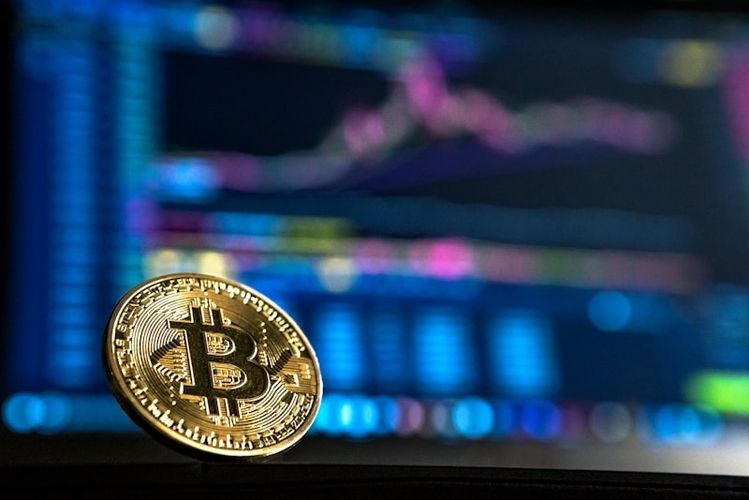
What You Need Before Buying Bitcoin
Requirements
- A Binance account with completed KYC verification
- A bank card or payment method in your own name
- Some disposable funds you can afford to lose
Mental Preparation
Bitcoin's price is highly volatile — it can swing 10% or more in a single day. The money you invest should be funds you can completely afford to lose. Never borrow money or use essential living expenses to buy Bitcoin.
Step-by-Step Purchase Guide
Step 1: Buy USDT with Fiat Currency
Bitcoin cannot be purchased directly with fiat currency in most regions. You first need to buy USDT (a stablecoin pegged to the US dollar), then use USDT to buy Bitcoin.
- Open the Binance app
- Tap the "Buy Crypto" button on the homepage
- Select "P2P Trading"
- Choose USDT as the token
- Enter the amount of fiat currency you want to spend
- Select a reputable seller
- Place the order and pay according to the seller's payment details
- After payment, tap "I've Paid"
- Wait for the seller to release the USDT
Step 2: Transfer to Spot Account
After USDT arrives, it will be in your Funding Account. Transfer it to your Spot Account for trading:
- Go to the Wallet page
- Tap "Transfer"
- Select from "Funding" to "Spot"
- Enter the full USDT amount
- Confirm the transfer
Step 3: Buy Bitcoin
- Switch to the "Trade" tab at the bottom of the app
- Search for "BTC/USDT" trading pair
- Select "Buy"
- Choose your order type:
Market Order (recommended for beginners):
- Executes immediately at the current market price
- Enter the amount of USDT you want to spend
- Tap "Buy BTC"
Limit Order:
- Set a specific price at which you want to buy
- The order executes automatically when the market reaches your price
- Better suited for users with some experience
Step 4: Confirm Execution
After placing a market order, it typically completes within seconds. You can check your Bitcoin holdings in "Orders" or "Wallet."
How Much Should You Buy?
You don't need to buy a whole Bitcoin — you can buy any fractional amount. A single Bitcoin is worth tens of thousands of dollars, but you can buy 0.001 or even less.
Beginner recommendation:
- Start with $50 to $200 worth
- Experience what it feels like to hold Bitcoin
- Watch the price fluctuations for a few days
- Gradually decide whether to increase your investment

What to Do After Buying
Don't Check the Price Constantly
The most common beginner mistake is checking the price every few minutes. Short-term Bitcoin volatility is normal, and constantly monitoring only increases anxiety.
Learn the Basics
After buying, start learning some fundamentals:
- What is blockchain
- How Bitcoin works
- Basic patterns of the crypto market
- Introduction to technical and fundamental analysis
Consider Dollar-Cost Averaging
If you're bullish on Bitcoin long term, set up automatic purchases (buying a fixed amount at regular intervals) to spread out your entry points and reduce your average cost.
Put It in Earn Products
Bitcoin you're not planning to trade anytime soon can be deposited into Binance Earn products to generate some interest income.
How to Sell Bitcoin
When you want to sell, just reverse the process:
- Sell BTC for USDT on the spot market
- Transfer USDT from Spot Account to Funding Account
- Sell USDT through P2P to receive fiat currency
The entire process is equally quick.
Important Reminders for Buying Bitcoin
- Don't chase pumps or panic sell: Buying when prices surge and selling when they drop is a fast track to losses
- Buy in batches: Don't go all in at once — spread your purchases across 2-3 transactions to mitigate risk
- Set targets: Before buying, decide at what price you'll sell, and stick to it
- Keep records: Note your purchase price and quantity for tracking profit/loss
- Stay calm: Market panic often presents good buying opportunities
Sign up on Binance to begin your Bitcoin investment journey.
FAQ
What's the minimum amount needed to buy Bitcoin?
On Binance, you can buy a tiny amount of Bitcoin for as little as a few dollars. However, P2P trading has minimum limits, so plan to start with at least $50.
Where is my Bitcoin stored after purchase?
By default, it's stored in your Binance Spot Account. For enhanced security, you can learn to use a hardware wallet to withdraw Bitcoin to a wallet you fully control.
Do I have to pay taxes on Bitcoin?
Tax policies on personal cryptocurrency trading vary by country. Consult a professional tax advisor if you have significant gains.
Can Bitcoin go to zero?
In theory, any investment can go to zero, but Bitcoin — as the largest cryptocurrency by market cap — has weathered over a decade of challenges. Of course, past performance doesn't guarantee future results.
Why does my balance show a loss right after buying?
Due to the spread (slippage) between the buy price and the current price, plus trading fees, a small immediate loss is normal — no need to worry.
Safety Tips
- Buy Bitcoin through the official Binance app
- Check your account security settings immediately after purchasing
- Don't disclose how much Bitcoin you hold to others
- Be wary of any investment advice that "guarantees returns"
- Only invest disposable funds and be mentally prepared for potential losses